Live Rover Simulation Infinite Road Demo
Circuit Diagram Hardware Connections
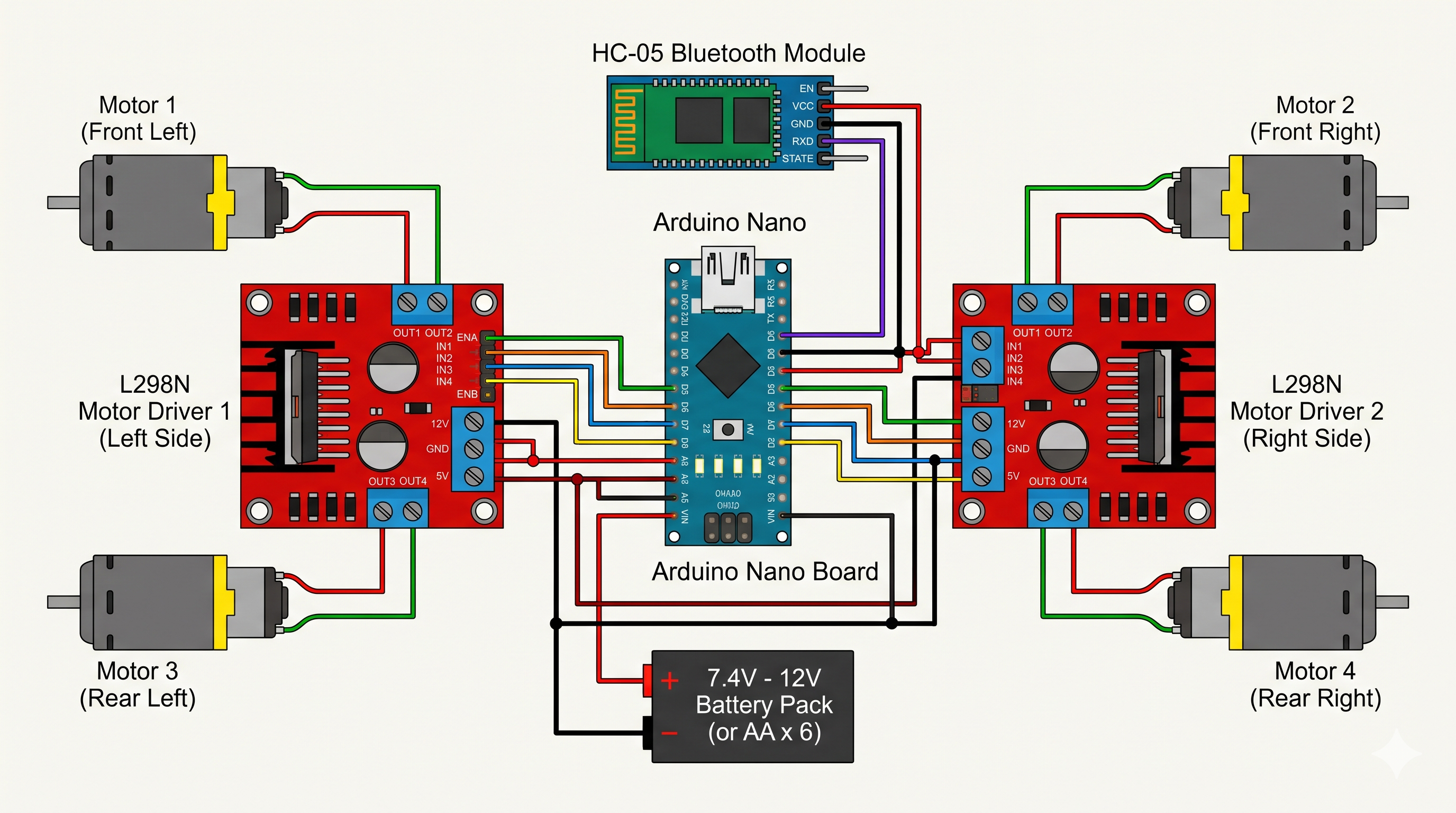
Wiring schematic showing Arduino Nano, Dual L298N Drivers, HC-05, and 4 DC Motors.
Serial Logs
--:--:--[BOOT] Rover Controller Online.
--:--:--[INFO] HC-05 paired. Waiting for commands...
--:--:--Waiting for user input...
How It Works Control Flow
1
Install SriTu Hobby App
Download from Play Store and open the Bluetooth Car Remote.
2
Pair with HC-05
Power the rover and pair with "HC-05" (PIN: 1234 or 0000).
3
Drive with Joystick
The app sends 'U', 'D', 'L', 'R', 'S' commands which the Arduino executes.